New Screen Time Guidance for Under 5s: What Early Years Leaders and Parents Need to KnowScreens are now part of everyday life for young children.
But for many parents, managing screen time feels overwhelming.
• How much is too much?
• What content is appropriate?
• And how do you get the balance right in real life?
In March 2026, the UK government released
👉 new national guidance on screen time for under 5s
This guidance is clear, practical, and importantly — non-judgemental.
For early years professionals, this is more than helpful advice.
👉 It is part of safeguarding, child development, and school readiness.
The early years are a critical window of development.
The government’s independent review highlights that too much solo screen time can displace the experiences children need most:
• conversation
• play
• movement
• connection with adults
👉 These are not “nice to have” — they are the foundation of:
• language development
• emotional regulation
• attention
• social skills
This is why screen use is no longer just a parenting issue.
👉 It is a developmental and safeguarding issue.
The new government guidance gives clear, practical recommendations.
For Children Under 2
• Avoid screen time where possible
• If used, it should be shared with an adult
• Focus on interaction, bonding, and communication
👉 This is about connection — not passive viewing
For Children Aged 2 to 5
• Aim for no more than one hour per day
• Avoid screens:
o During mealtimes
o In the hour before bed
👉 This supports sleep, attention, and behaviour
Content Matters
• Choose slow-paced, age-appropriate content
• Avoid:
o Fast-paced videos
o Social media-style clips
o AI-driven or algorithm-led content
👉 Young children’s brains are not designed for rapid, overstimulating input
Co-Viewing Is Key
• Children should use screens with an adult where possible
• Talk, ask questions, and engage
👉 Watching together supports learning — watching alone does not
Not All Screen Use Is Equal
• Some screen use (e.g. assistive technology for SEND) can be beneficial
• Decisions should be based on individual needs
This guidance is not about perfection.
It is about balance and confidence.
Many parents report feeling overwhelmed by screen use — and this guidance recognises that.
The aim is not to remove screens completely, but to:
• Reduce passive use
• Improve quality of use
• Protect key parts of childhood
Simple, Realistic Changes Parents Can Make
• Keep screens out of bedtime routines
• Avoid screens during meals
• Watch together and talk about content
• Choose calm, slow-paced programmes
• Set clear daily limits
And importantly:
👉 Replace screen time with connection, not just removal
The biggest concern is not screens alone.It is what children lose when screens take over.
When screen time increases, these decrease:
• talking with adults
• physical play
• imagination
• shared experiences
And these are the exact experiences children need most before age five.
Recent data highlights a growing concern.👉 28% of children starting Reception struggle to use a book properly
👉 Some attempt to swipe or tap pages like a tablet
(Source: Kindred Squared School Readiness Survey)
This is not about blame.
It is about recognising a shift in how children experience the world.
👉 And why real-world interaction matters more than ever.
The guidance strongly promotes simple alternatives to screens.
These are not complicated activities — they are everyday moments.
For example:
• Reading a story together
• Talking at the dinner table
• Playing simple games
• Spending time outdoors
• Singing, chatting, or role-playing
These small interactions build:
• Language
• Confidence
• Relationships
• Emotional security
And ultimately, school readiness
This is where your role becomes powerful.
Because this guidance is not just for parents — it sits directly within:
• Safeguarding responsibilities
• Parent partnership
• Child development outcomes
• Inspection expectations
Your Role in Practice
As an early years leader or practitioner, your role is to:
1. Share Clear, Consistent Messages
Parents need clarity — not mixed advice
2. Support Without Judgement
This guidance is explicitly non-judgemental
Your approach must be too
3. Translate Guidance Into Practice
Make it simple and usable for families
4. Model Good Practice in Your Setting
Children experience consistency between home and setting
5. Strengthen Safeguarding Through Partnership
Understanding a child’s digital environment is part of understanding risk
Practical ways to embed this guidance include:
• Parent workshops or short briefings
• One-page guides or checklists
• New-device setup support
• Conversations at drop-off or pick-up
• Including screen guidance in policies
Keep it:
• Simple
• Visual
• Accessible
• Relevant to real life
This guidance reinforces an important message:
👉 Screen use is not just a lifestyle issue — it is a safeguarding consideration
Because:
• Children may access inappropriate content
• Behaviour can be influenced by what they see
• Risks often occur on unsupervised devices at home
Working with parents helps:
• Identify concerns earlier
• Build consistent boundaries
• Support safer habits
One of the most important aspects of this new guidance is its tone.
It recognises that:
• Parenting is difficult
• Screens are part of modern life
• Families need support, not criticism
As early years professionals, this is where your impact lies.
Not in telling parents what they are doing wrong
—but in helping them feel confident in what to do next
If you take one action this week, make it this:
👉 Share one simple message with parents:
“Screens are best used together, not alone.”
Because that one shift can make a meaningful difference.
At EYFS Training Hub, our training is designed to help you:
• Translate guidance into daily practice
• Strengthen safeguarding through real-life routines
• Support families with confidence and clarity
Explore our courses and resources to build consistent, high-quality practice across your setting.
Access Our Online Safety in Early Years Course: 👉 https://www.eyfstraininghub.com/course/online-safety-updated
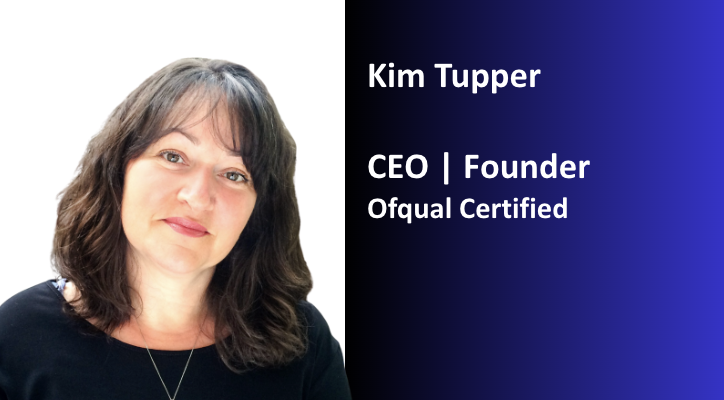
Kim Tupper is the Founder of EYFS Training Hub, providing practical, high-quality safeguarding and early years training for childminders and early years teams.
Explore our training or get in touch to find out more.